Custom internal tools developmentCustom Internal Tools Development for Your Team
- Records
- Quotes & requests
- Approvals
- Inventory
- Roles
- Live reports
Once it's live
What changes- One source of truthinstead of five versions of the same file
- Everyone sees their partinstead of shared files open to all
- Approvals in a clickinstead of email chains and follow-ups
When Do You Need Custom Internal Tools?
- Several people edit the same spreadsheet and overwrite each other
- Nobody is sure which file is the latest
- Quotes or requests take days to put together
- Approvals happen over email and get lost
- Sensitive data sits in files anyone can open
- Reports are rebuilt by hand every week
See Custom Internal Tools in Action
- Records
- Quotes & requests
- Approvals
What to Build First in an Internal Tool
| Feature | Launch | Grow |
|---|---|---|
| Records with search and filters | ||
| Role-based access | ||
| Status workflows and approvals | ||
| Import from existing spreadsheets | ||
| Quote and request pipelines | ||
| Live management dashboard | ||
| Automated reports and alerts |
How Custom Internal Tools Are Built
Layer 1
Screens
Forms and tablesPipelines and boardsApprovals inboxManagement dashboardLayer 2
Rules
Roles and permissionsValidationStatus workflowsAudit historyLayer 3
Data & integrations
PostgreSQLImports from spreadsheetsAccounting & CRMScheduled exports
From Spreadsheet to System
Custom Internal Tools Development in Practice
More projects built on this
Custom Internal Tools Development FAQs
Still deciding?
Ask us about your project directly.
A free 30-minute call, and a written proposal before any work starts.
01Why not just use a better spreadsheet or no-code tool?
Spreadsheets and no-code tools suit simple tasks. For complex approvals, restricted access and audit trails, purpose-built software can offer more control. Explore business automation software.
02Can you import our existing spreadsheets?
Yes. We review, clean and import agreed data from your existing files, then validate it with your team.
03What have you built like this?
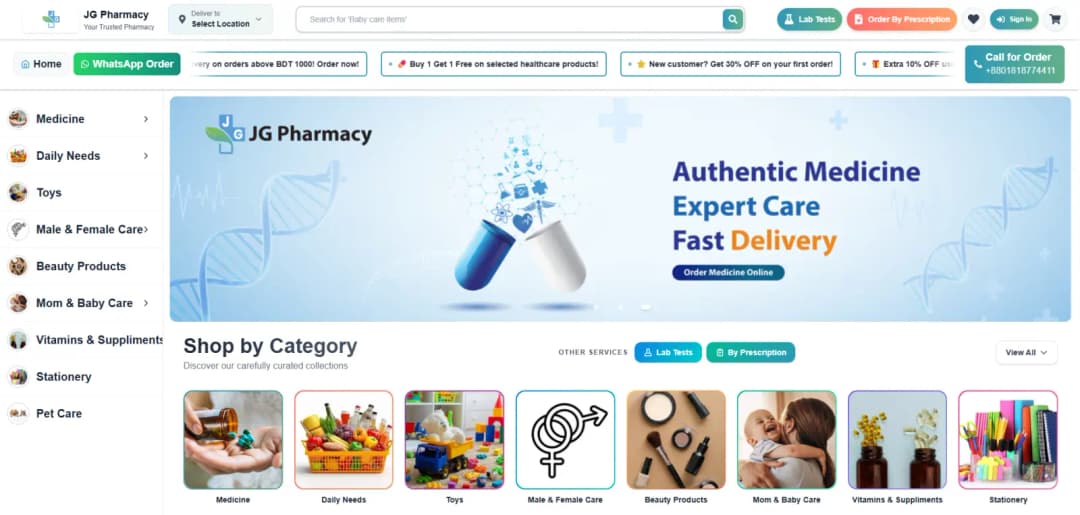
RAWASY Metal's quote pipeline replaced specs in spreadsheets and hand-built quotes, and JG Healthcare's operations dashboard brought records, staff and reporting into one system.
04Will our team actually use it?
We design each screen around the job that team does every day, demo it weekly while building, and adjust based on their feedback before launch.
05How much does it cost and how long does it take?
Cost and timing depend on users, workflows, data migration and integrations. We scope the work on a free 30-minute call and provide a written phased proposal before development.
06Which countries do you work in?
We work remotely with businesses across North America, Europe, the Middle East, Asia-Pacific and Africa, including the United States, Canada, the UK, Germany, the UAE, Saudi Arabia, Australia and Singapore, and anywhere else, with a working demo every week of the build.
Services for Custom Internal Tools Development


Guides to help you plan
Practical answers to the questions clients ask us before they start.
Ready for Custom Internal Tools Development?
Tell us which workflow slows your team down. We'll scope a first release and the next steps.