Custom ERP developmentOne system for the whole operation.
- Sales & orders
- Inventory
- Purchasing
- Staff & HR
- Finance
- Reporting
Once it's live
What changes- One source of truthinstead of five spreadsheets that disagree
- Departments connectedinstead of data retyped between teams
- Live numbers for every teaminstead of month-end reconciliations
You need a custom ERP if…
- Each department keeps its own spreadsheet
- Data is typed again when it moves between teams
- Nobody trusts the stock or sales numbers
- Off-the-shelf ERPs need costly customisation to fit
- Month-end takes days of reconciling
- Growth means hiring people just to move data
What your ERP looks like
- Sales & orders
- Inventory
- Purchasing
What launches first, what comes next
| Feature | Launch | Grow |
|---|---|---|
| Core records: customers, products, suppliers | ||
| The first module (often stock or sales) | ||
| Roles, approvals and audit trail | ||
| Management dashboard | ||
| Purchasing and suppliers | ||
| Staff, attendance and payroll | ||
| Accounting integration | ||
| Forecasts and automation |
Anatomy of a custom ERP
Layer 1
Modules
Sales and ordersInventoryPurchasingStaff and payrollLayer 2
Business rules
ApprovalsPricing rulesRoles and accessAudit trailLayer 3
Connections
Online storeAccountingBanks and paymentsReporting exports
The build path
Built on work we've already shipped
More projects built on this
Questions about custom ERP development
Still deciding?
Ask us about your project directly.
A free 30-minute call, and a written proposal before any work starts.
01Why build a custom ERP instead of using Odoo or SAP?
Off-the-shelf ERPs suit standard processes. A custom ERP makes sense when customising a package would cost more than building, when licence fees grow with headcount, or when your process is your advantage.
02Have you built ERP-style systems?
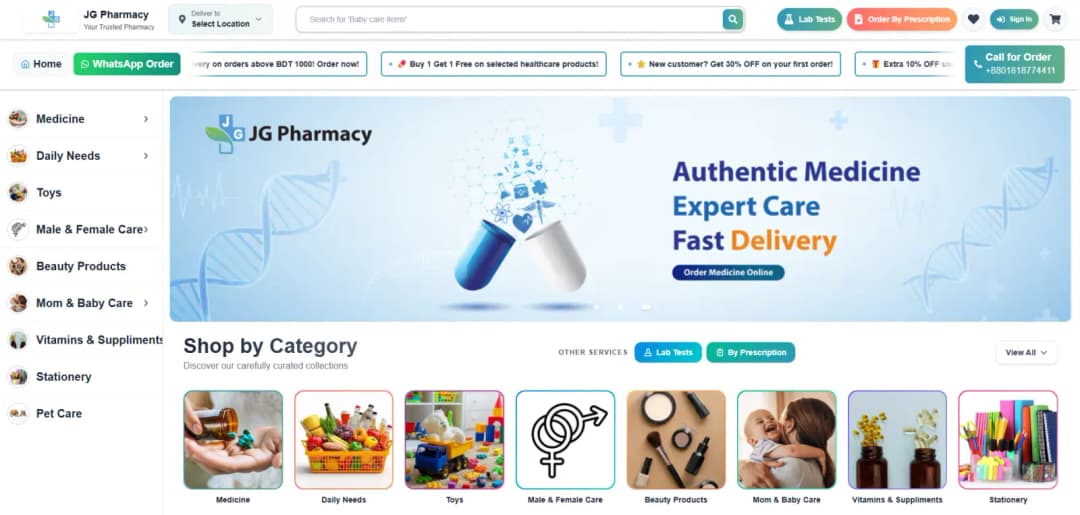
Yes. JG Healthcare's dashboard brings records, staff, attendance and reporting into one system, JG Pharmacy runs stock, orders and delivery together, and RAWASY Metal tracks inquiries through a quote pipeline.
03Do we have to switch everything at once?
No. We launch one module at a time and migrate its data, so the team keeps working while the system grows.
04Can it connect to our accounting software?
Usually, yes, through APIs or scheduled exports.
05How much does it cost and how long does it take?
It depends on the users, workflows and integrations involved. We scope every project on a free 30-minute call and send a written proposal with a phased plan before any work starts, so the most valuable part goes live first.
06Which countries do you work in?
We work remotely with businesses across North America, Europe, the Middle East, Asia-Pacific and Africa, including the United States, Canada, the UK, Germany, the UAE, Saudi Arabia, Australia and Singapore, and anywhere else, with a working demo every week of the build.
The services this solution is built from


Guides to help you plan
Practical answers to the questions clients ask us before they start.
Ready to build your ERP?
Tell us how it should work. We'll scope a first release and a path to grow it.